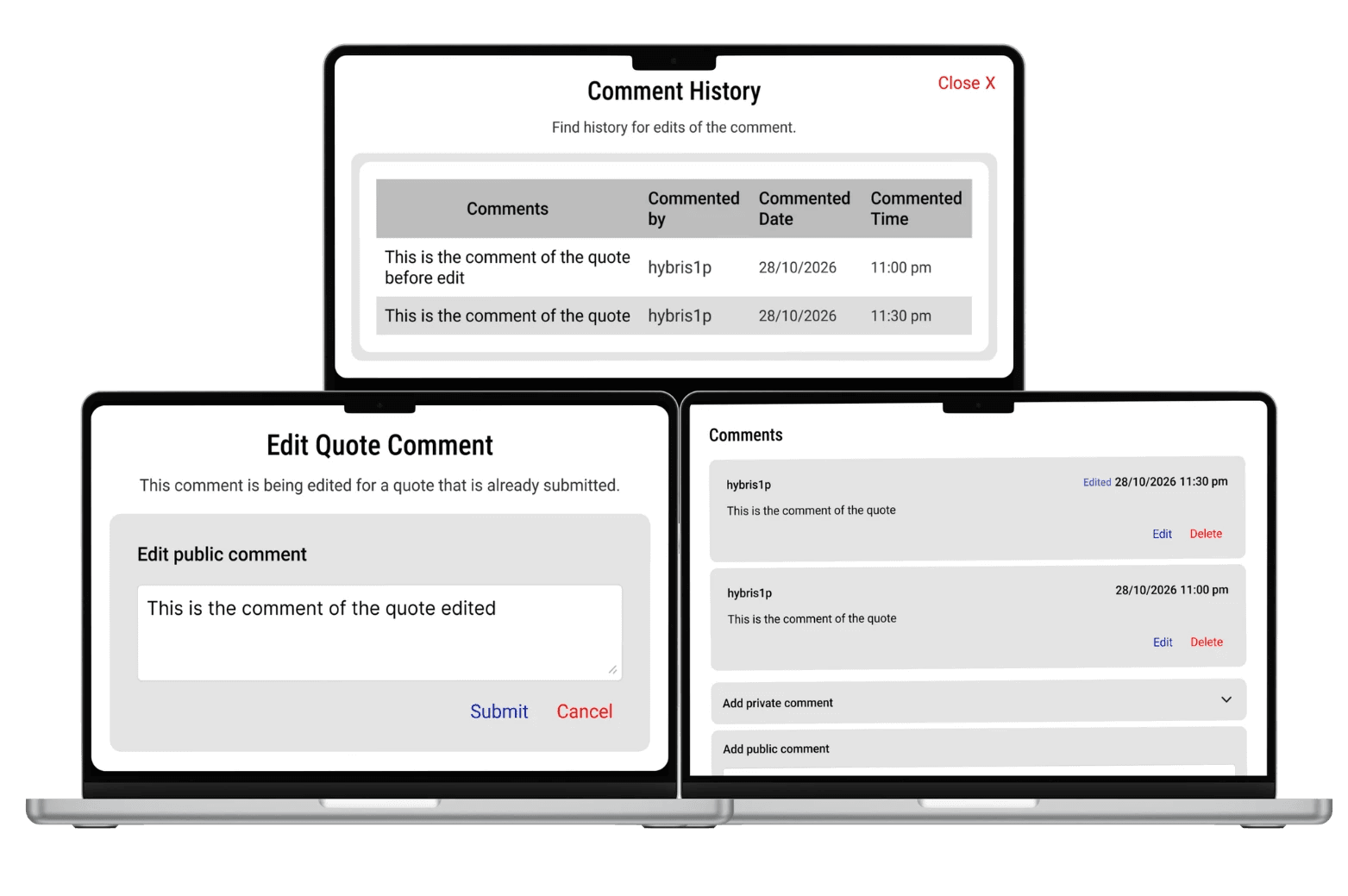
What am I solving here?
Problem Statement
Users struggle to remember actionable messages in busy WhatsApp chats because the platform lacks a lightweight reminder mechanism. Important information gets buried, users rely on memory or workarounds, and the platform provides no proactive way to resurface what matters.
Four Goals
Help users resurface important messages at the right time
Improve productivity inside the chat itself
Prevent users from switching to external reminder apps
Maintain WhatsApp's simplicity — no feature overload
My role on this
End-to-end UX Research and UI Redesign.
Identifying user pain through personas and empathy mapping, and designing a solution that fits within WhatsApp's existing design language
Improve productivity inside the chat itself
Maintain WhatsApp's simplicity — no feature overload
How am I going to solve it?
Before designing anything, I mapped who is experiencing this problem and why. I built two user personas — a high-volume professional user and a student user — to anchor every design decision in real behaviour rather than assumptions.

Rahul Nair, 28
Software Engineer - High volume user
Active in 8–10 WhatsApp groups.
Receives 200+ messages daily.
Uses "Star" but forgets to check it.
Never miss meeting links or deadlines
Scrolls endlessly to find messages
Forgets tasks shared in chat

Ananya, 21
Student · Deadline-driven user
Uses WhatsApp for assignment updates.
"Submit before Friday" gets buried.
Screenshots messages to remember.
Never miss group chat deadlines.
Relies entirely on memory.
No proactive safety net in the app
The common thread
Both personas are loyal, active WhatsApp users who don't abandon the app — they build workarounds around it. The goal is to eliminate those workarounds by bringing the reminder capability natively into the chat experience.
What is the actual problem?
Before framing the problem precisely, I mapped what users feel, think, say, see and do when managing important messages in WhatsApp.
❤️
Feels
Overwhelmed by chat volume.
Anxious about missing something.
Frustrated after endless scrolling
🧠
Thinks
"I'll remember this later."
"Where was that message?"
"I should write this down."
🗣️
Says
"Can someone resend the link?"
"Sorry, I missed that message."
"What was the deadline again?"
👀
Sees
256 unread messages.
Important info buried in memes.
A chat moving faster than attention
👐
Does
Screenshots messages.
Stars messages (and forgets).
Forwards to self.
Sets external reminders
🚧
The Gap
Significant mental overhead is spent compensating for a gap WhatsApp could close natively. Every workaround is a signal of unmet need.
Six defined pain points
1
Important messages disappear in long chat threads
There is no way to bring a message back to the surface at a chosen time. It simply drifts down as the conversation continues.
2
Starred messages are passive — no trigger
Starring is bookmarking, not reminding. There is no time-based nudge. Users must proactively revisit the stars tab, which they rarely do.
3
Users depend entirely on memory
When the system provides no safety net, cognitive load falls on the user. The result is missed deadlines, repeated questions, and mental fatigue.
4
Users switch to external apps to compensate
Opening Google Keep or Calendar to save something from WhatsApp breaks the flow. More user intent should stay within the WhatsApp ecosystem.
5
No time-based resurfacing of messages
WhatsApp has no mechanism to say "show me this message again at 3 PM." The entire message architecture is pull-only, never push-on-behalf-of-user.
6
Search is reactive, not proactive
Search responds to queries but does not anticipate needs. A truly helpful system resurfaces what matters before the user realises they need it.
What is the solution proposed?
The Core Idea
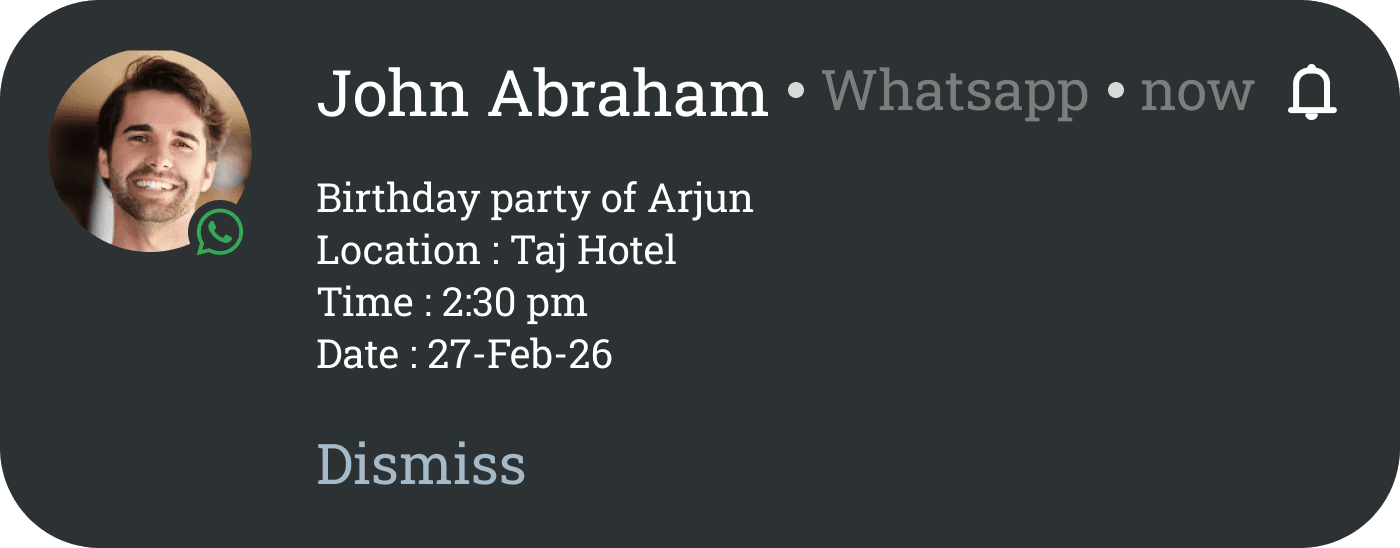
A native "Remind Me" option added to the long-press message menu in WhatsApp. Users tap on any message, set a time, and receive a private push notification that deeplinks directly back to the original message — no external apps, no screenshots, no forwarding to self.
What the feature does
One tap to set a reminder from any message.
Reminder is private — visible only to the user on their device.
No resending or duplicating into the chat.
Notification deeplinks to the original message in context.
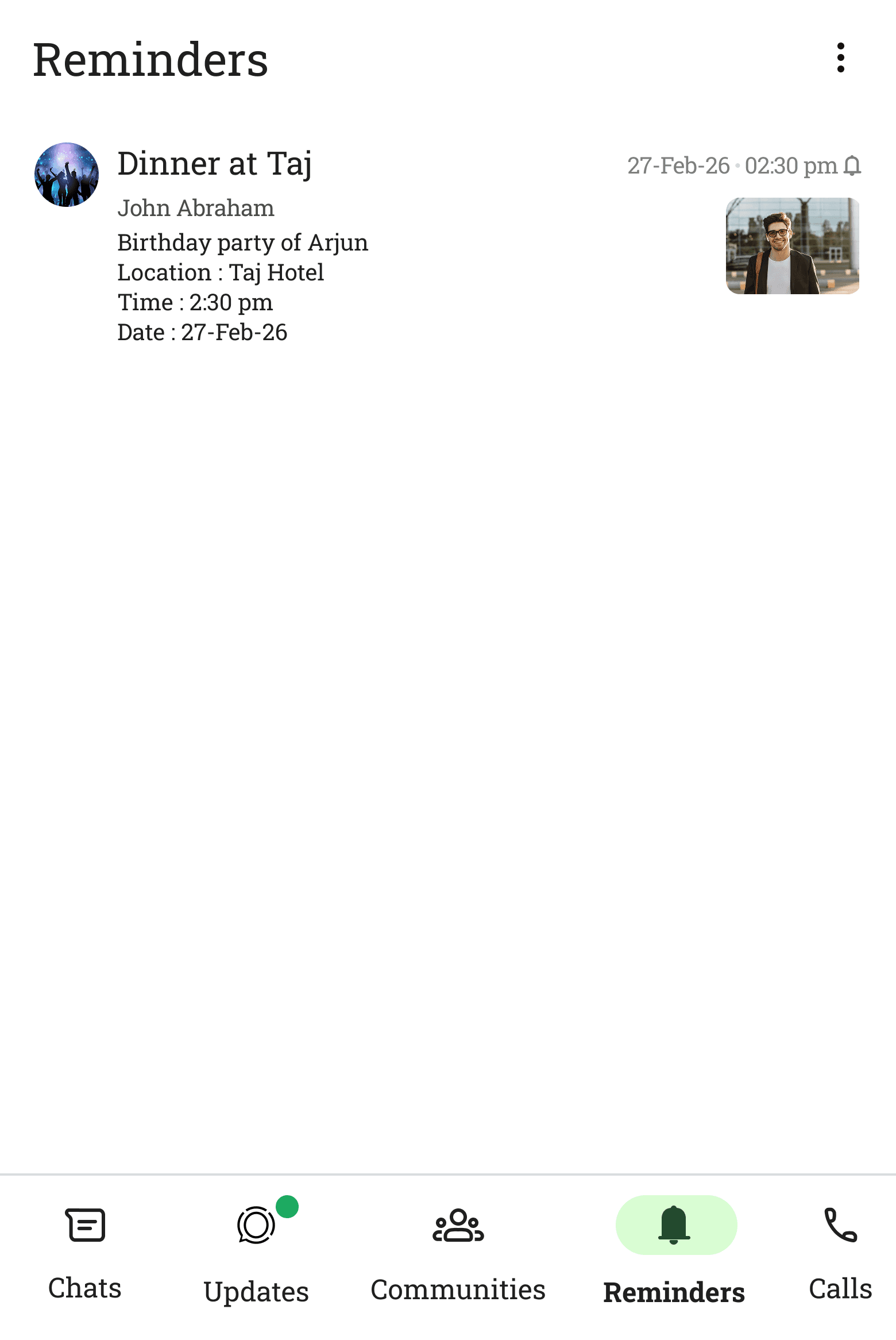
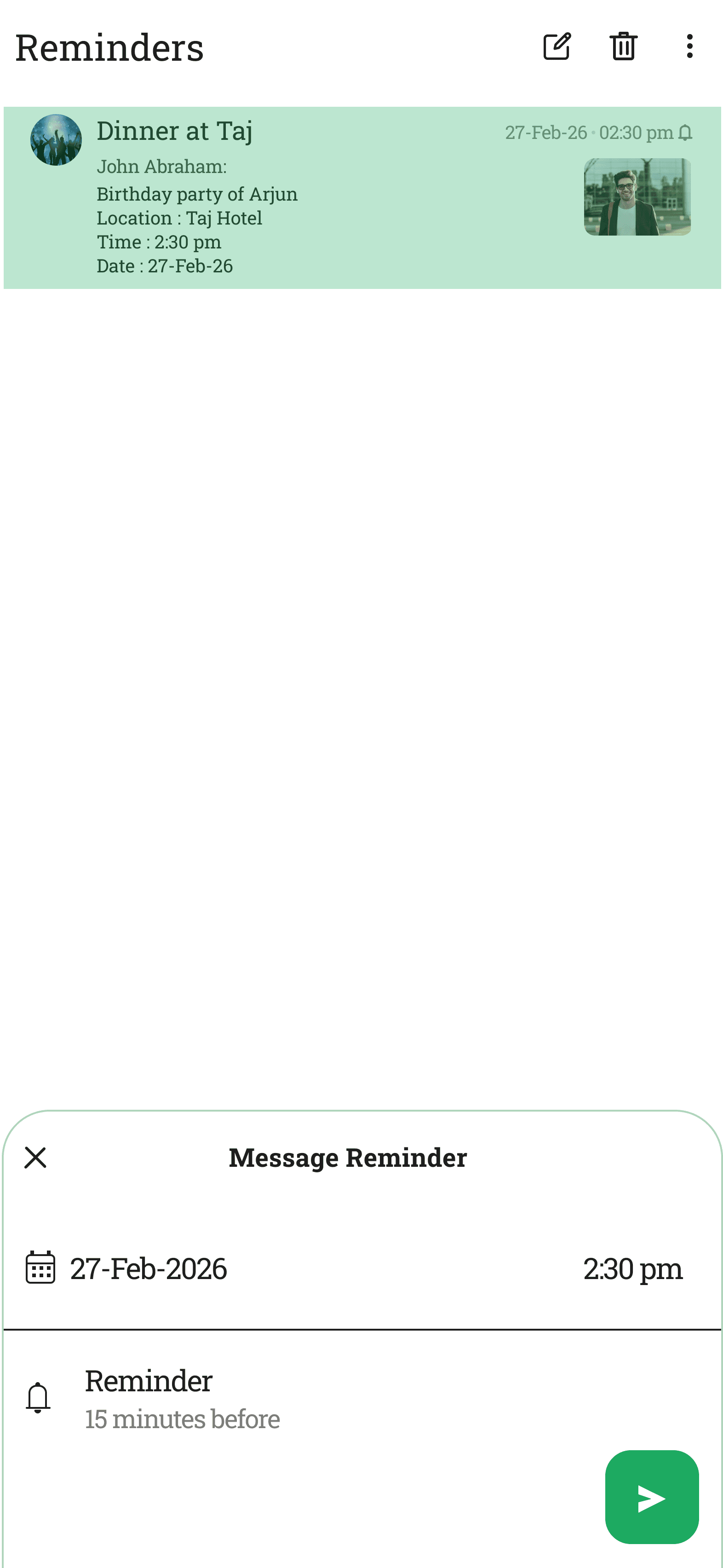
All reminders visible in a dedicated Reminders tab
What it intentionally is not
Not a group-visible notification or announcement.
Not a message resend or forward action.
Not a recurring reminder (must be set again).
Not a replacement for starred messages.
Not a third-party calendar integration
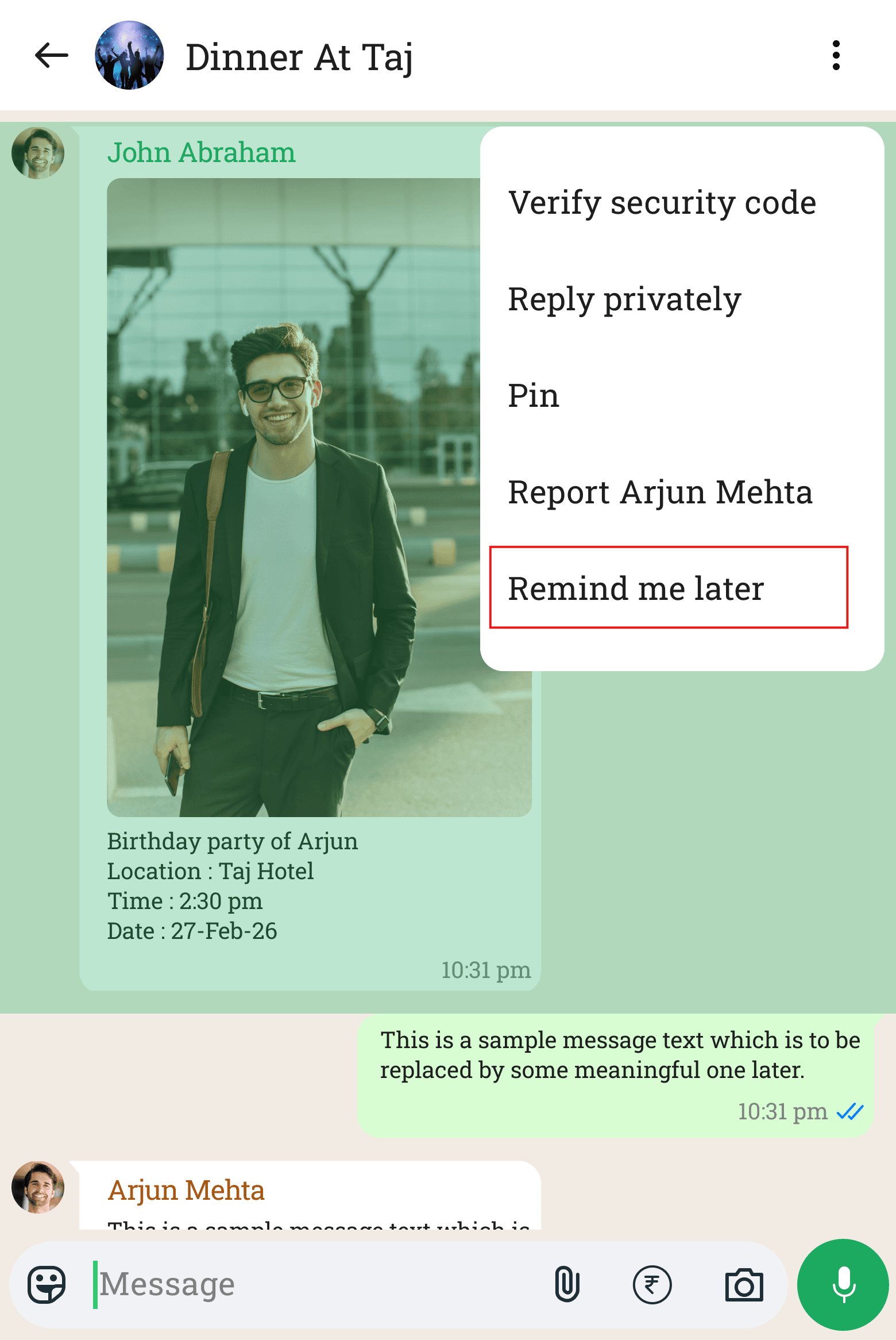
Long-press message -> menu -> Remind Me Later
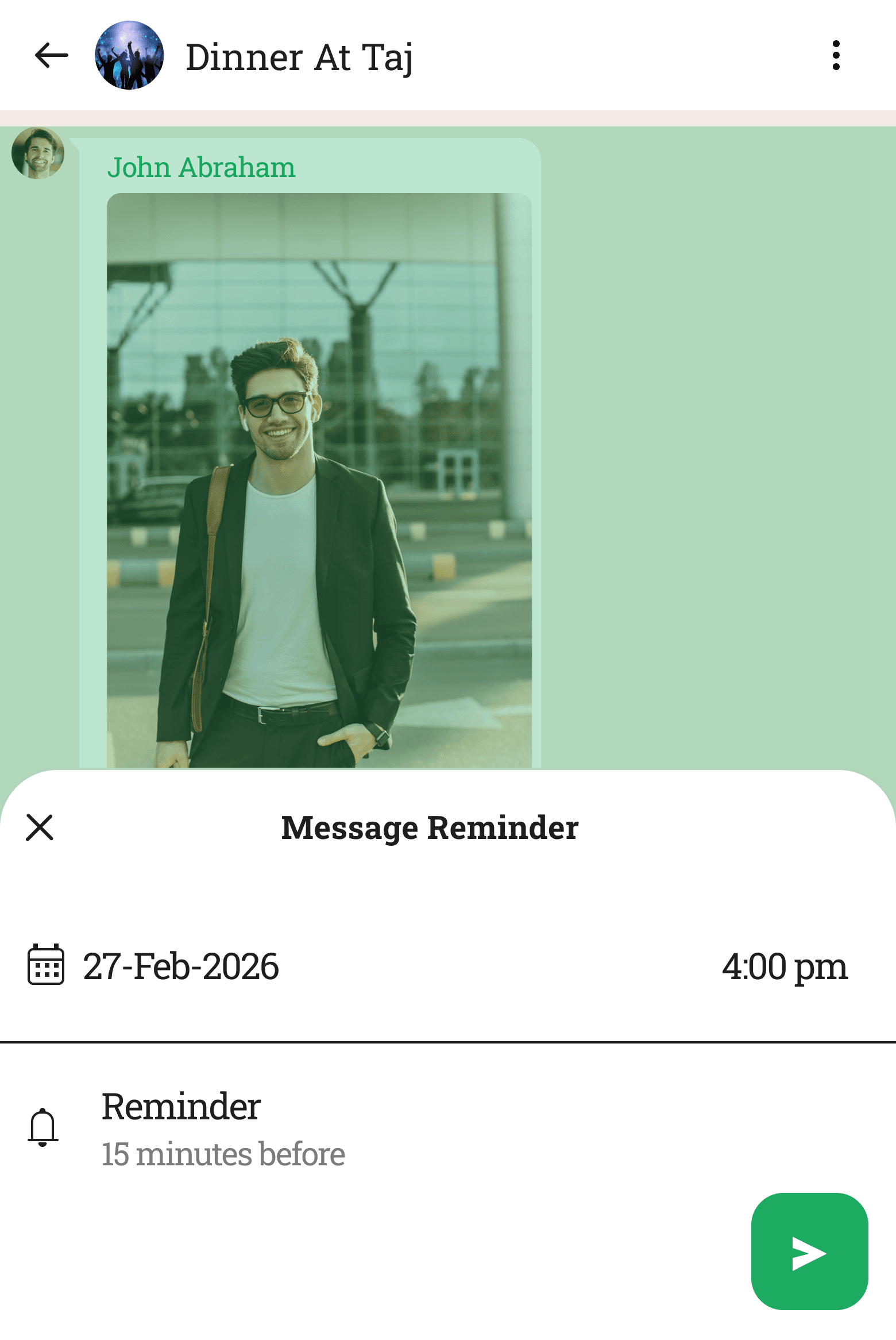
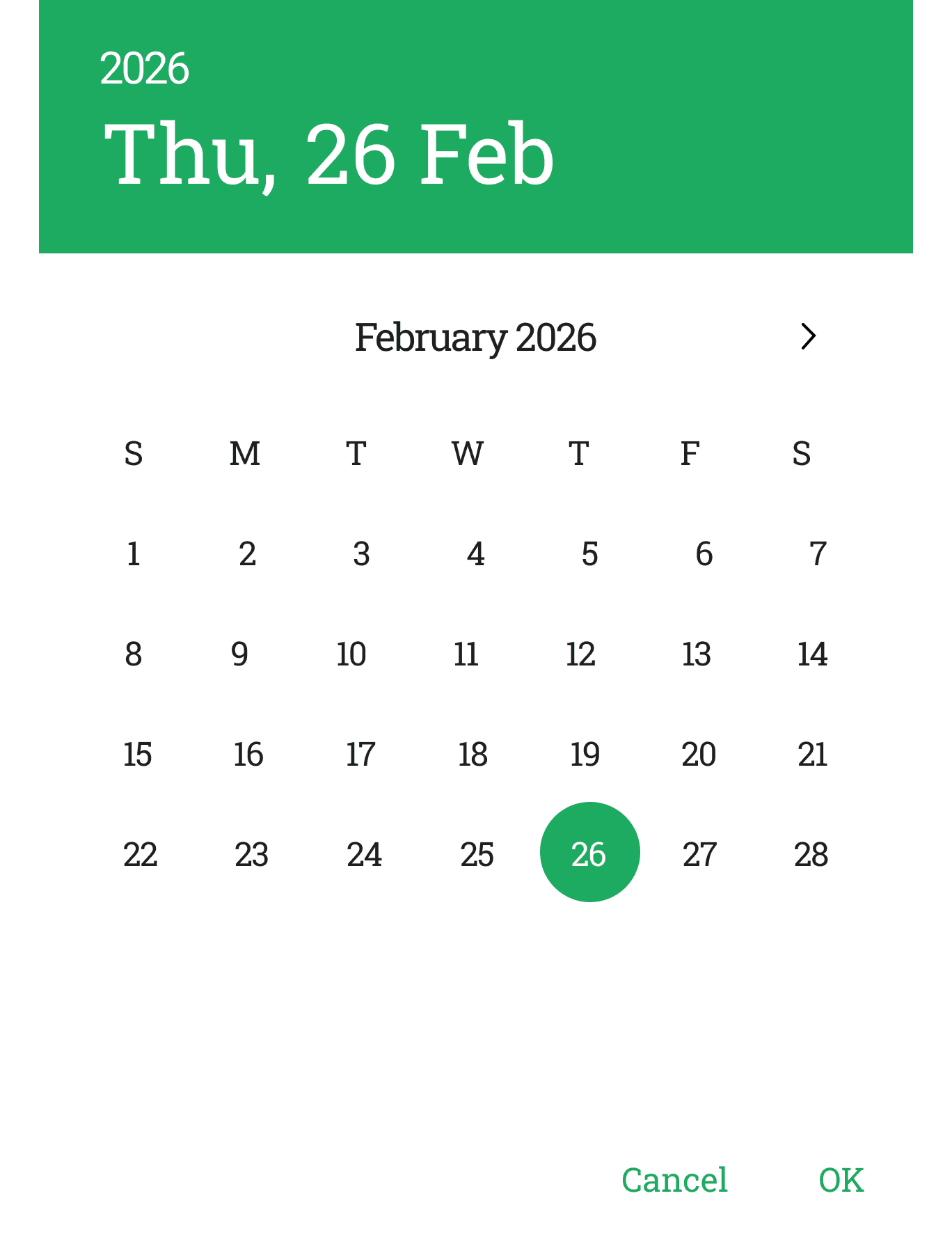
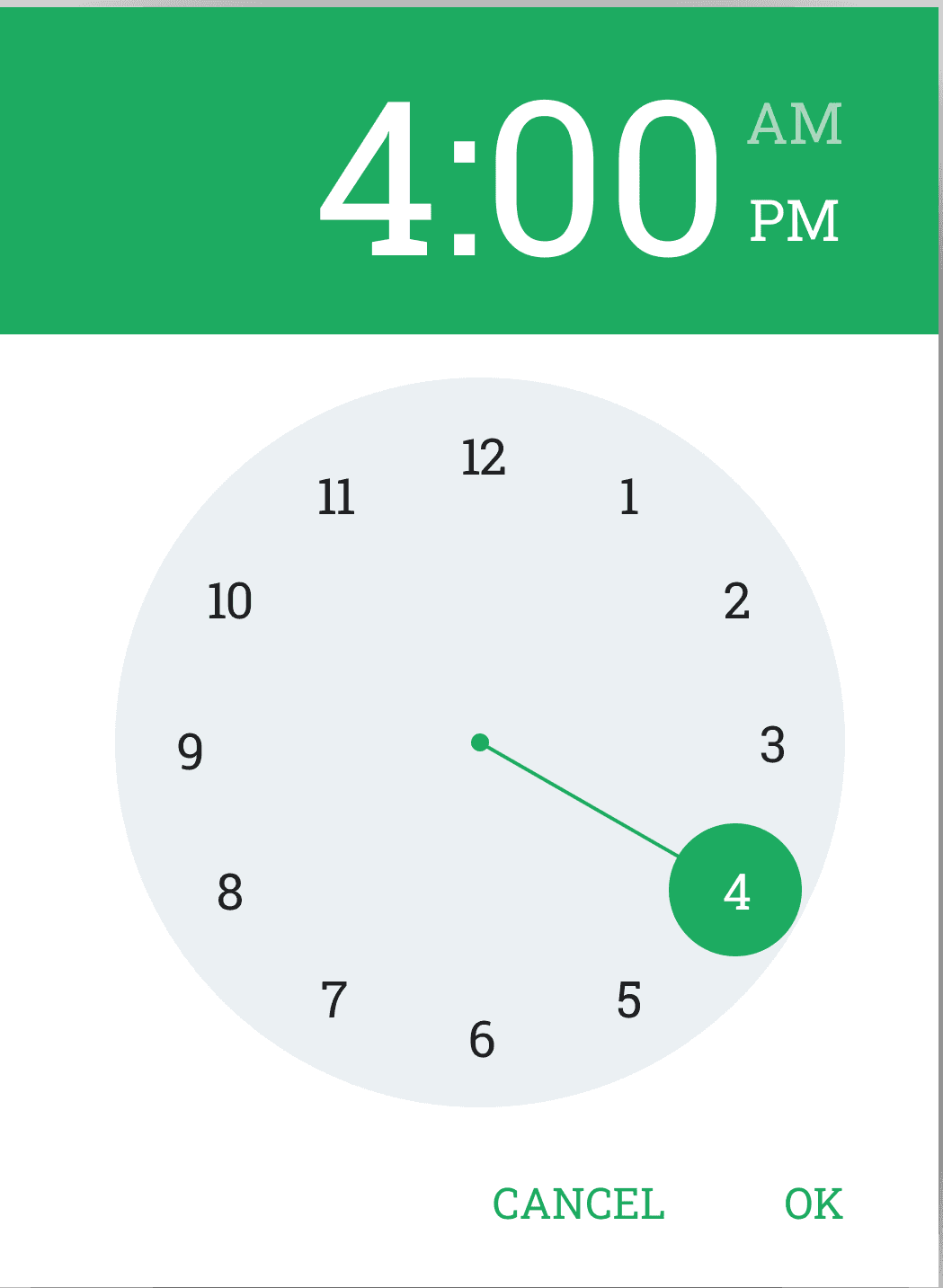
Set Date & Time
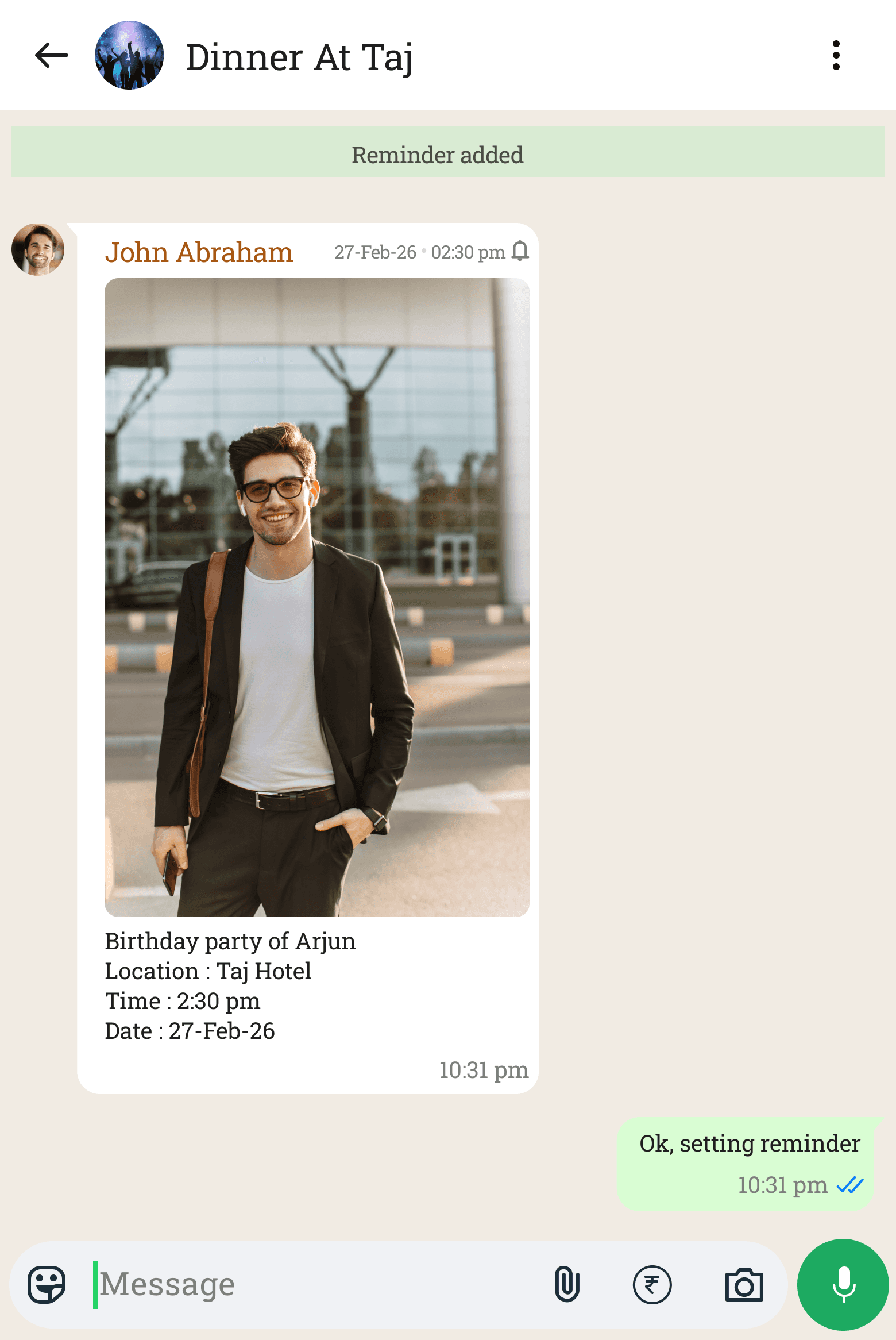
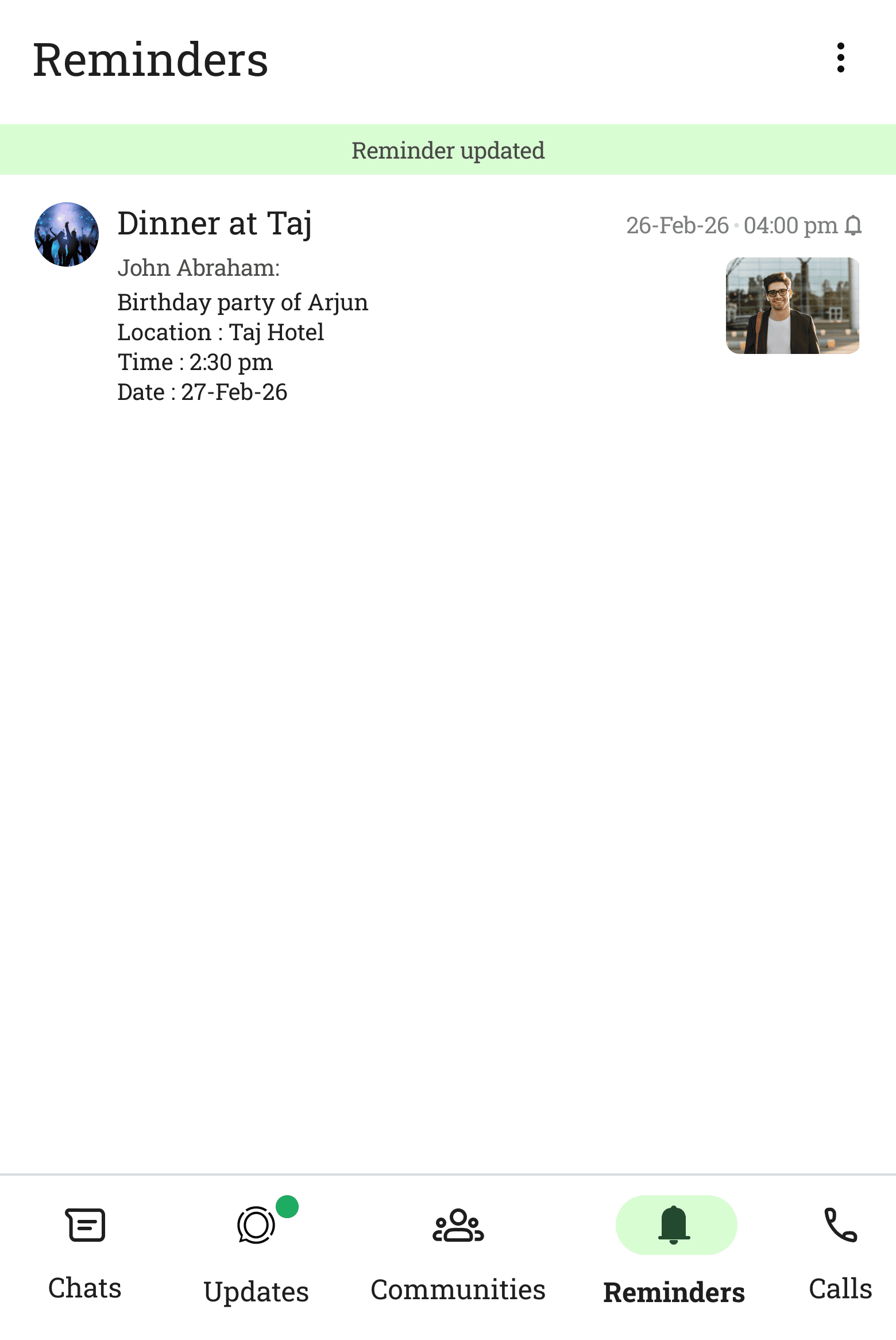
Toast acknowledgement & Date & time displayed on message
What are the decisions taken?
Should the reminder notify privately or inside the group?
The reminder fires as a standard push notification on the user's device only. It does not appear inside the group chat — it is completely private, personal, and invisible to all other chat participants.
Private only
Should the reminder resend the message into the chat?
No. The notification carries a short preview of the message and a deeplink. Tapping it navigates to the original message in context. No resending, no new messages, no disruption to the chat thread.
Deeplink only
Can reminders repeat automatically?
Reminders are one-time. If the user wants to be reminded again, they set a new one. This keeps the feature lightweight and prevents notification fatigue from abandoned recurring reminders.
One-time
Where do users see all their active reminders?
A dedicated "Reminders" tab accessible from the main navigation menu — similar to how Starred Messages works today. A central place to review, edit, or delete upcoming reminders.
Reminders tab
What happens if the original message is deleted?
If the message is deleted — by the sender, an admin, or by the user themselves — the associated reminder and all its data are automatically deleted too. The reminder cannot point to something that no longer exists.
Auto-deleted
How does it work?
What does WhatsApp benefit implementing this?
Strategic Value
This is not just a user-experience improvement. A native Remind Me feature has direct business implications for WhatsApp's engagement, retention, and competitive positioning — especially as messaging apps compete on depth of utility, not just reach.
📈
Increased daily active engagement
Reminder notifications bring users back into the app at purposeful, high-intent moments. Every reminder is a re-engagement touchpoint that increases session depth and daily active usage.
🔒
Reduced churn to external tools
By solving the reminder problem natively, WhatsApp removes a key reason users open Google Keep, Reminders, or Calendar. More user intent stays within the WhatsApp ecosystem.
🏆
Competitive differentiation
Telegram and Signal do not offer native message-level reminders. This would be a meaningful, first-mover advantage in the mass-market messaging space — a feature that matters to almost every active user.
🤝
Deeper trust with users
A feature that solves a quiet but persistent pain — without adding noise or complexity — signals that the product team genuinely listens. That builds long-term loyalty and positive word-of-mouth at scale.
💼
Strengthens the WhatsApp Business case
For WhatsApp Business users, message-level reminders add real professional utility — follow up on a customer query, a payment confirmation, or a service request without losing it in a high-volume inbox.
⚙️
Minimal development overhead
The feature reuses existing infrastructure: the message context menu, the push notification system, and the starred messages architecture. High user value for a relatively surgical engineering effort.